




Key Takeaways
- A launch has six phases, and four of them happen before the site goes live.
- Sort out access first: domain registrar, DNS, hosting, Google Analytics, Tag Manager and Search Console. Missing access is one of the most common reasons a launch date slips.
- Record a baseline before anything changes: backups, DNS records, Search Console and Analytics data, and a full list of old URLs.
- Order matters on launch day. Redirects, indexing settings and tracking are checked in a fixed sequence, not at random.
- The first 72 hours decide whether rankings hold. Watch Search Console for 404s and redirect errors daily.
- Changing domains adds five steps, including Change of Address in Google Search Console.
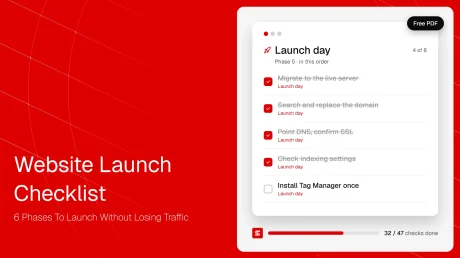
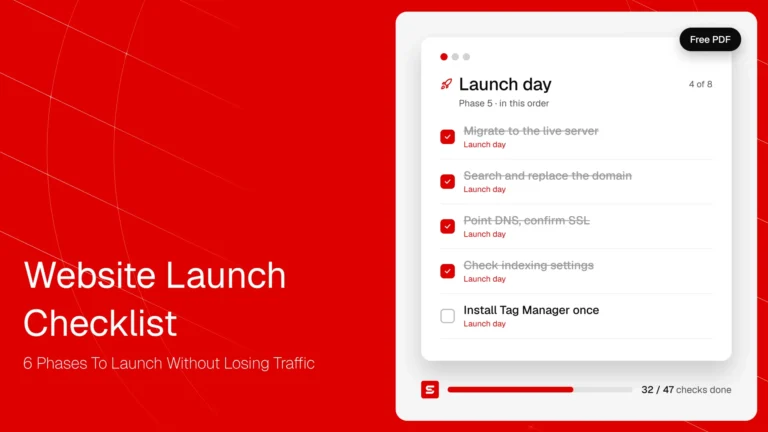
A website launch checklist covers six phases: access and ownership, baseline and backups, build quality, SEO setup, launch day, and the first week after. Most launch problems don’t happen on launch day. They come from steps skipped in the weeks before it. Below is the checklist we use on client launches, with a free PDF you can print and tick off.
We wrote this list after two launches this autumn. One was a redesign that also moved to a new host and a new domain name. The other was a new site replacing an old one on the same domain. Both lists ended up longer than the ones we started with, and both caught problems before visitors did.
Why most launches lose traffic (it’s rarely the design)
A new site rarely loses traffic because it looks worse. It loses traffic because something technical was missed during the switch. These are the four mistakes we see most often:
- The “noindex” setting stays on. Staging sites are hidden from Google on purpose. If nobody switches that off, the live site is hidden too.
- Old URLs have no redirects. Every page Google knew now returns a 404, and the rankings attached to those pages are lost.
- Email stops working. The domain is pointed to the new host, but the MX records for email were never copied. Nobody notices until clients say their emails bounce.
- Analytics counts twice, or not at all. Tag Manager gets installed through a plugin and a code snippet at the same time, or the tracking still points to the old domain.
None of these are hard to fix. They are easy to forget. That is what a checklist is for.
Phase 1: Get access and ownership sorted first
Start one to two weeks before launch. You can’t launch a site you can’t point a domain at, and you can’t move tracking you don’t own.
On one launch this autumn, everything was ready except access to the domain registrar. The site was built, tested and approved. The DNS change still had to wait until the client found the right login.
Phase 2: Record the baseline before anything changes
Without a baseline, you can’t tell after launch what was lost. This phase takes an hour or two and saves days of guessing.
Phase 3: Check build quality on staging
Everything that can be tested before launch should be tested before launch. On launch day, you want to check the switch, not the site.
Speed belongs here, not after launch. A slow site that goes live is still slow when Google first crawls it. Our PHP 8.2 end of life guide covers one more thing worth checking at this stage: the PHP version on the new server.
Phase 4: Set up SEO before the switch
SEO settings are prepared on staging, so launch day is a check, not a rebuild. The redirect map is the most important document in this phase.
The redirect map starts from the crawl you made in Phase 2. Match the important pages one by one: services, top blog posts, anything with backlinks. Pages with no new equivalent go to the closest relevant page, not all to the homepage.
Phase 5: Launch day, in the right order
On launch day, order matters more than speed. We work through the steps in this sequence, and each one is checked before the next starts.
A single 301 matters. A chain of redirects (old URL to http, then to https, then to the new page) slows crawling and is easy to break later.
Phase 6: The first week after launch
Google’s own guidance says to expect temporary fluctuation in rankings during a move. Your job in the first week is to make sure the fluctuation is temporary.
After the first week, the site moves into regular care: updates, backups and security checks. That is what our WordPress maintenance plans cover.
Changing domains? Five extra steps
A new domain name is the riskiest kind of launch, because every URL changes at once. On top of the six phases, a website migration checklist needs these five steps.
- Search Console: verify the new domain as a Domain property, in the same Google account that owns the old one. Keep the old property and its sitemap. Don’t delete anything.
- Google Analytics: update the existing web data stream to the new domain. Keep the same property and measurement ID, so your history stays in one place. Add an annotation for the launch date.
- Tag Manager: update every trigger that uses the old hostname, old URL paths or old form IDs.
- Redirects: set up 301s from every version of the old domain (http, https, www and non-www). Use your approved map, plus a same-path redirect for every other URL. Exact-URL rules run before pattern rules.
- Change of Address: once redirects test clean, run the Change of Address tool in Search Console. You must be an owner of both properties, using the same Google account.
Google recommends keeping the redirects for at least one year, and longer if you can. Keep the old domain registered for the same period, or longer.
Launch it yourself or with a team
A small site on the same domain, with a few pages and no changes to URLs, is a launch many owners can handle with this checklist. Work through it in order and don’t skip Phase 2.
It gets harder when the URLs change, the domain changes, or the site brings in leads every day. Then one missed redirect or a broken form costs real enquiries. That is where a team that has done it before saves time and traffic.
When we build a site through our web design or WordPress development services, the launch is part of the project, not an extra. We run this checklist, and after launch we watch Search Console and Analytics until the numbers settle.
FAQ
How long before launch should you start the checklist?
Start one to two weeks before. Access and baseline exports often depend on other people, and those are the steps that delay launches.
How long does DNS propagation take?
Usually a few hours, but it can take up to 48 hours. Re-test the site, forms and email once propagation is complete.
Should you launch a website on a Friday?
We avoid it. If something breaks, you want your team and your host available the next day, not on a weekend. Early in the week, outside peak hours, works best.
Do 301 redirects lose SEO value?
Google says 301 and other permanent redirects don’t cause a loss in PageRank. Rankings can still move for a few weeks while Google processes the change.
How long should you keep redirects after a domain change?
Google recommends at least one year, and longer if possible. Keep the old domain registered for at least as long, so the redirects keep working.